
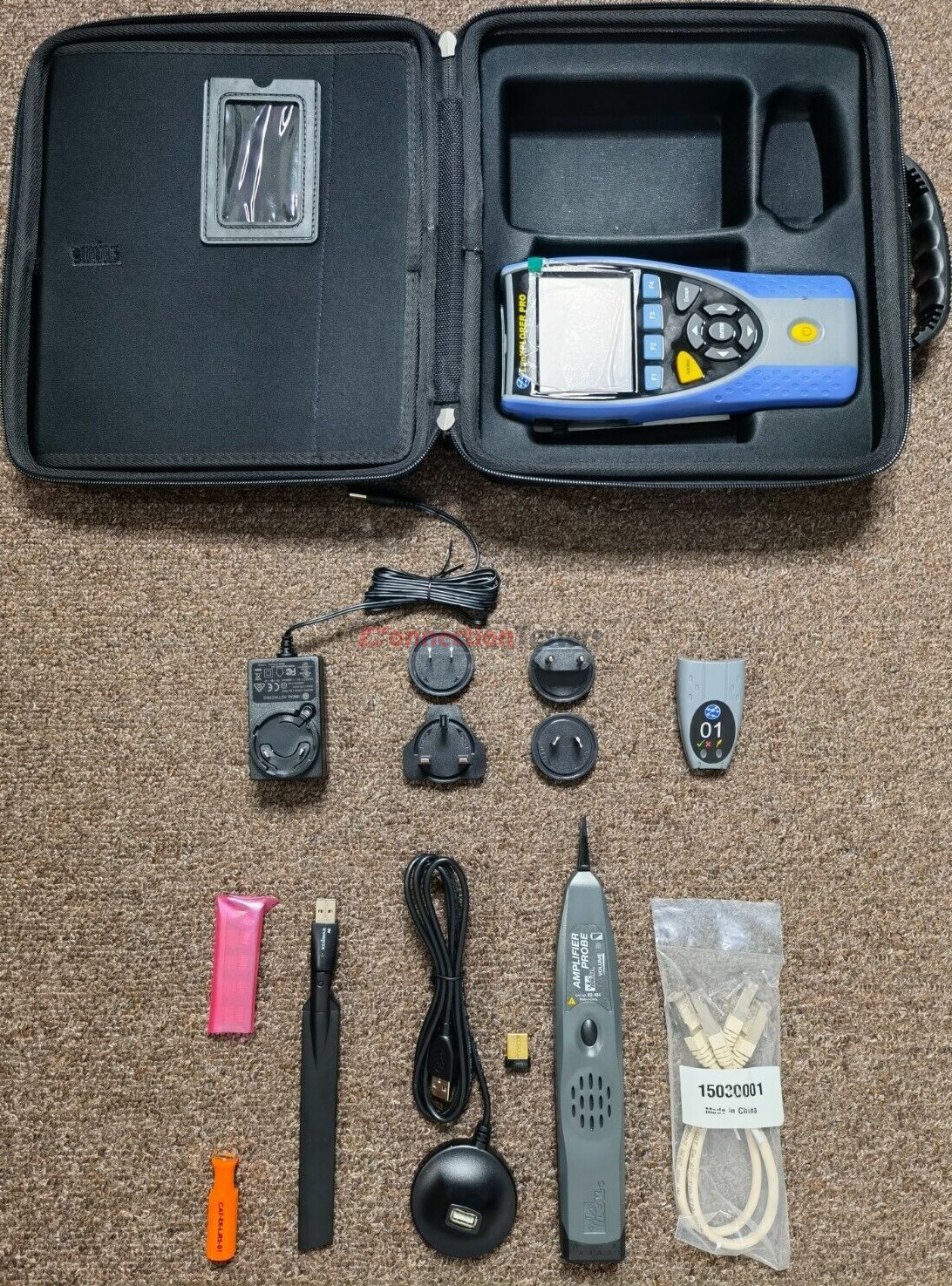
For Sale LanXPLORER PRO R150001 tester for analyzing and diagnosing problems in networks, This unit very excellent and tested working.
Features :
-
- Touchscreen
- Custom wiremap
- Display network configuration – IPv4 / IPv6 compatible
- Wiremap for miswires, split pairs, opens and shorts
- Distance to opens and shorts (TDR)
- PoE/PoE+ detection and load test
- Tone generator for cable tracing
- Ping and Traceroute testing
- Hub blink for port identification
- DHCP client
- Switch speed detection – 10/100/1000 Mb/s
- User-exchangeable RJ45 inserts
- Support for up to 12 wiremap remotes
- Backlit colour screen
- Autotest button performs a suite of network tests
- Network Probe provides detailed port and network information of each device
- Port identification using EDP/CDP/LLDP protocols
- VLAN detection
- Traffic utilisation bar graph
- Generate test reports (PDF or CSV). Send test reports from your mobile
- device using the free TREND AnyWARE App
- Fibre optic cable interface
- Logon using the 802.1x protocol
- Optical interface with power indication
- Loopback mode for transmission testing
- Monitor PoE power consumption in-line
- NETMAP list all networks devices
- NETVERIFY compare two NETMAP scans to identity changes on the network
- In-line mode for Ethernet device troubleshooting (copper)
- VoIP QoS and signal testing
- Wi-Fi interface to access network
- Wi-Fi site survey @2.4/5GHz 802.11a/b/g/n/ac
- Top 10 bandwidth talkers and listenersDiscover IP address conflicts
- Traffic statistics – network and devices
Included items :
-
- Remote unit (No. 1) the gray color item.
- Amplifier probe (CAT No. 62-164) using the traditional 9V battery
- Edimax EW-7811UC antenna.
- Edimax EW-7811Un Wi-Fi USB adapter.
- 2 x Patch cables (CAT5e).
- RJ45 insert extraction tool (the orange color item).
- 10 x Lifejack RJ45 inserts (inside the pink bag).
- Wall charger.
- Carrying Bag.
- Quick reference guide.
- Edimax EW-7811Un Wi-Fi USB adapter installation guide.







There are no reviews yet.